
Civil 3D 2026.1: New Tools for Faster Infrastructure Design
Infrastructure design gets faster and more accurate with Civil 3D 2026.1. Based on user feedback, the update expands drainage analysis, improves Model Viewer, and adds other tools…
Contents
Improving productivity and accuracy remains a key priority in infrastructure design. Civil 3D 2026.1 introduces new features and improvements developed in response to user requests. From expanded drainage analysis to an updated Model Viewer, here is what the release includes.
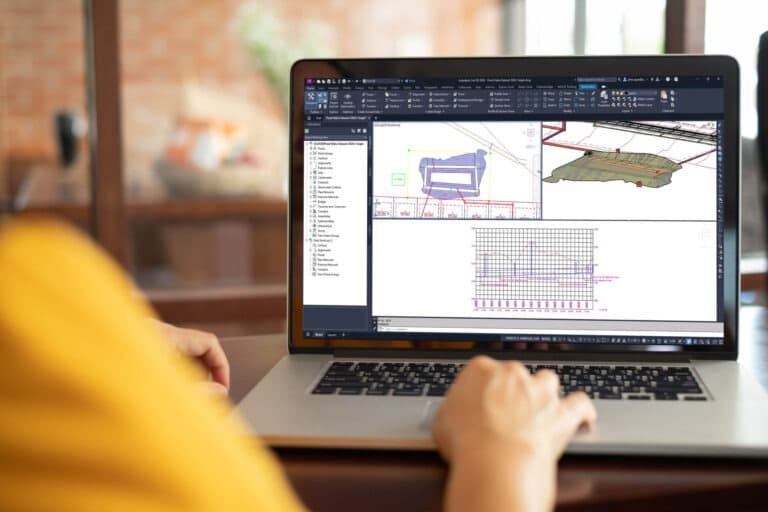
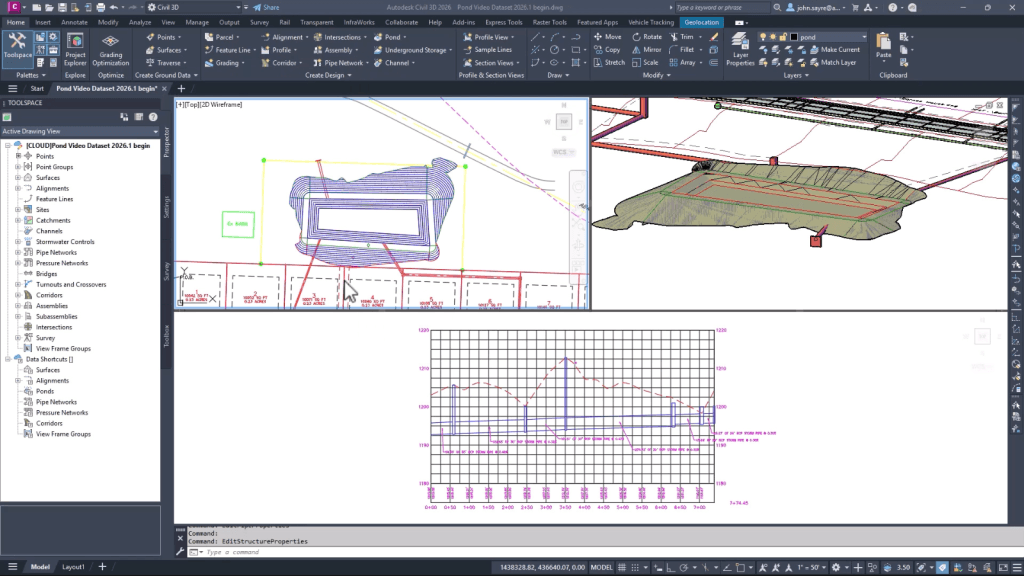
Drainage design and analysis
After two years of development and a testing period that began with Civil 3D 2026, a comprehensive update for drainage design is available. The new tools support a more integrated workflow, including analysis powered by InfoDrainage.
Engineers can now run calculations directly in Civil 3D without switching to other applications.
- Key features
- Pond design
- Create ponds from existing geometry, surfaces, or scratch; configure inflows and outflows; and reuse them in other drawings.
- Underground storage
- Build from objects or layouts, configure hydraulic parameters, and import or export volume tables.
- Rainfall management
- Define rainfall event scenarios by intensity, duration, distribution, or known data, and save libraries for later use.
- Drainage analysis with InfoDrainage
- Run cloud-based analysis for multiple rainfall scenarios, review results, and generate reports.
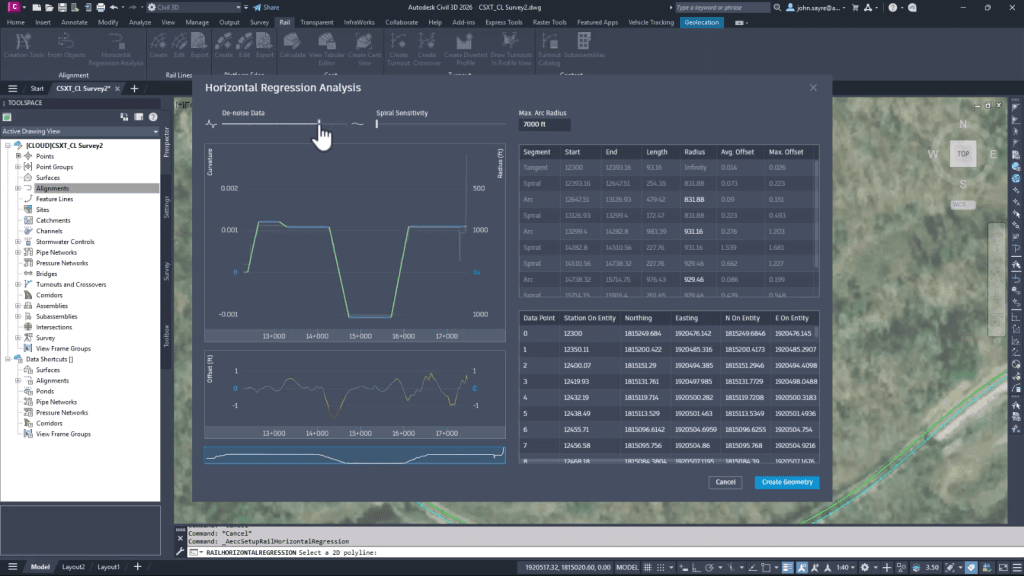
Horizontal regression analysis
A new tool creates optimized horizontal railway and road alignments from source data. Users can control parameters such as spiral sensitivity or maximum curve radius to achieve the best result.
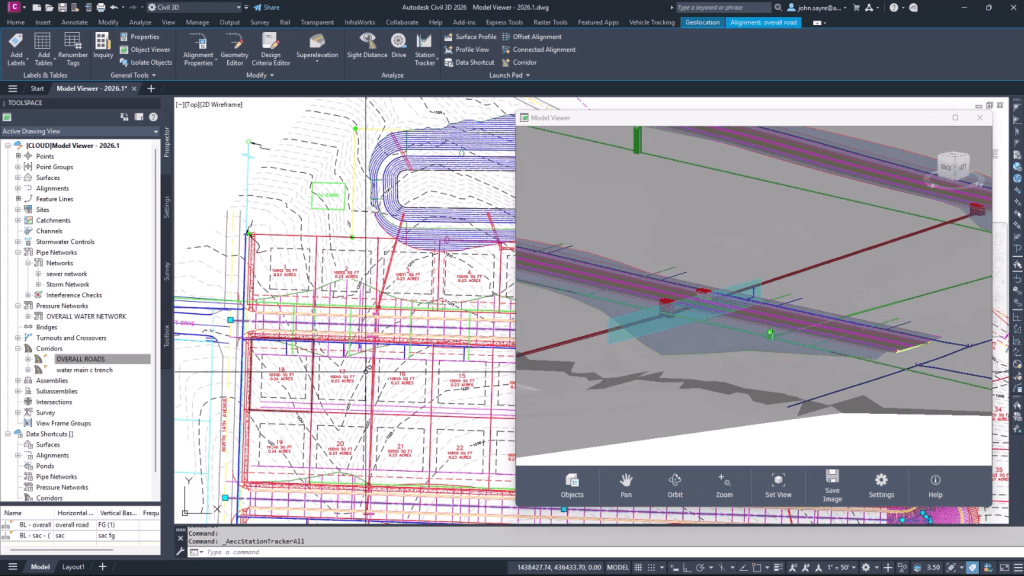
Model Viewer enhancements
One of Civil 3D's most requested tools has received a major update. It now supports transparency for surfaces and corridors, station tracking, and other improvements that make better use of Civil 3D's 3D capabilities.
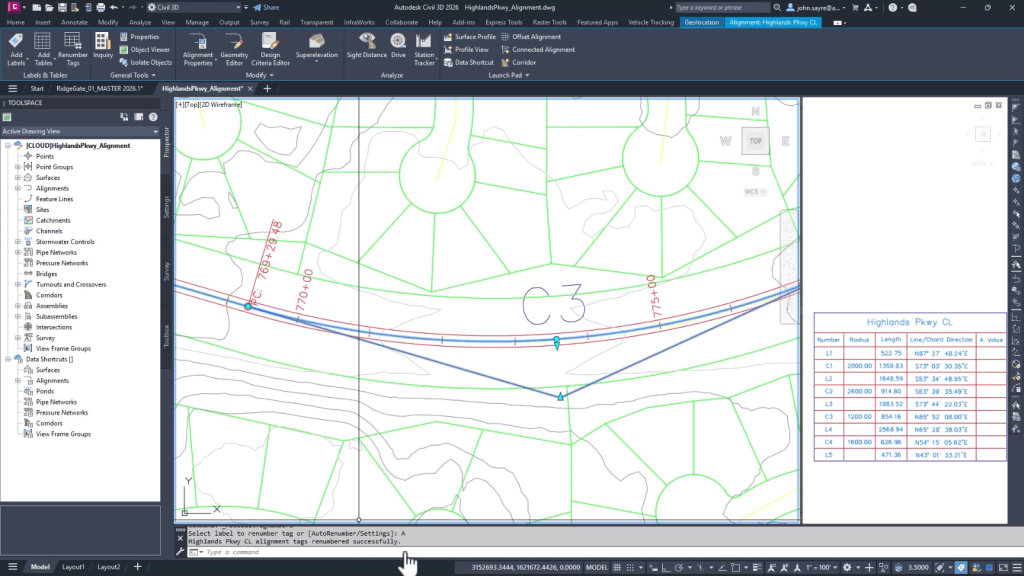
Automatic alignment label renumbering
Another user-requested feature is automatic renumbering of alignment labels. This routine task is now much faster and easier.
Summary
Civil 3D 2026.1 makes infrastructure design workflows more productive and convenient. You can download the latest version now and start using the new tools.
Need a Civil 3D license?
Order Autodesk Civil 3D from an official Autodesk Gold Partner in Kazakhstan.
Message us on WhatsApp, and we will help you choose the right license and answer your questions. Get a consultation.