
Inventor vs. Fusion 360: Comparing Autodesk Products
If you are choosing between Autodesk Inventor and Fusion 360 for 3D modeling, you need to understand how they differ. Both are popular but serve different users and tasks. We explain…
If you are choosing between Autodesk Inventor and Fusion 360 for 3D modeling, it is important to understand their main differences. Both products are popular, but they are designed for different tasks and users. We compare their key characteristics to help you select the right software.
Autodesk Inventor Overview
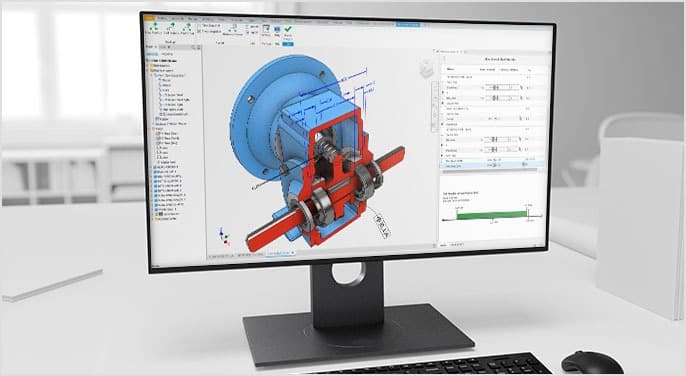
Autodesk Inventor is a powerful CAD system for professionals working on large engineering projects. Inventor supports complex models containing thousands of parts, such as cars or industrial machinery. It offers parametric, freeform, and direct modeling, along with stress analysis and motion simulation tools.
Inventor is well suited to large manufacturers and design departments thanks to its advanced commercial design capabilities. It is also often used as part of the Product Design & Manufacturing Collection, which includes additional tools for 3D modeling, sheet metal nesting, finite element analysis, and data management.
Fusion 360 Overview
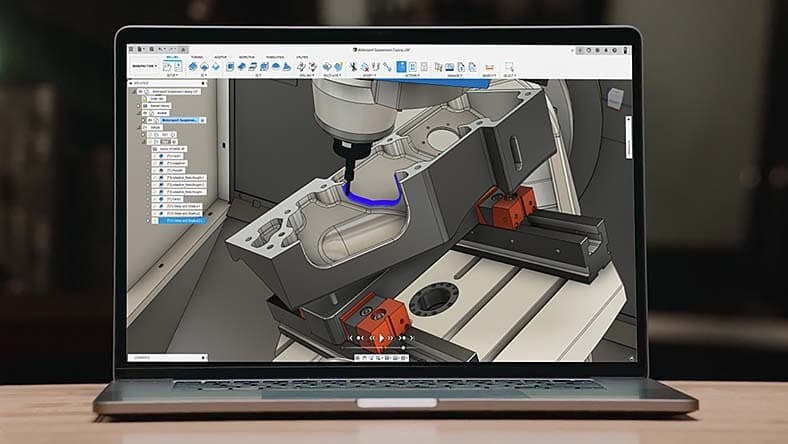
Fusion 360 is a cloud platform combining CAD, CAM, and CAE tools. First released in 2013, it targets small businesses, students, and individual users. Cloud storage in Fusion 360 lets teams collaborate on the same project in real time. The software also includes 3D printing and simulation features, making it convenient for product design and rapid prototyping.
Fusion 360 is known for its modern, intuitive interface, which reduces the learning curve and makes it accessible to beginners.
Comparing Autodesk Inventor and Fusion 360
- Interface and learning:
Fusion 360 has a simpler, more modern interface that appeals to new users. Inventor takes longer to learn but provides deeper, more advanced tools needed for major projects.
- Processing power and speed:
Inventor is built for large projects involving thousands of parts. It can process complex tasks more efficiently, while Fusion 360 is better suited to smaller projects. Fusion 360 has lower system requirements and starts more quickly on less powerful computers.
- Modeling and functionality:
Both products offer a broad range of modeling tools, including parametric and freeform modeling. However, Inventor provides more detailed and flexible controls for creating complex objects, which is important for professional and industrial design.
- Collaboration and cloud technologies:
Fusion 360 has an advantage in collaboration, allowing multiple users to edit a project in the cloud at the same time. Inventor is more focused on individual work and requires additional tools to coordinate team activities.
- 3D printing and ease of changes:
Fusion 360 is more convenient for 3D printing, with integrated rapid prototyping capabilities. Inventor, however, offers greater control over model changes, especially in large assemblies.
- Platform compatibility:
Inventor runs only on Windows, while Fusion 360 supports Windows, macOS, and even mobile operating systems.
Conclusion:
Both products are capable 3D modeling solutions, but the best choice depends on project size and user experience. Fusion 360 suits small and medium projects and beginners, while Inventor is better for complex industrial work and commercial design.