
AutoCAD vs. AutoCAD LT: Key Differences
This is a key difference. Full AutoCAD can create and edit 3D models. AutoCAD LT can only open them and provide limited viewing from fixed angles. Making changes…
AutoCAD is the world's most widely known CAD solution. Even people who have never worked in design have heard of it. But when choosing a license, many are surprised to learn that both full AutoCAD and AutoCAD LT are available. Today, AutoCAD is much more than drafting software. It includes specialized industry toolsets and powerful 3D capabilities. Yet not every employee needs those features. Let's examine the differences.

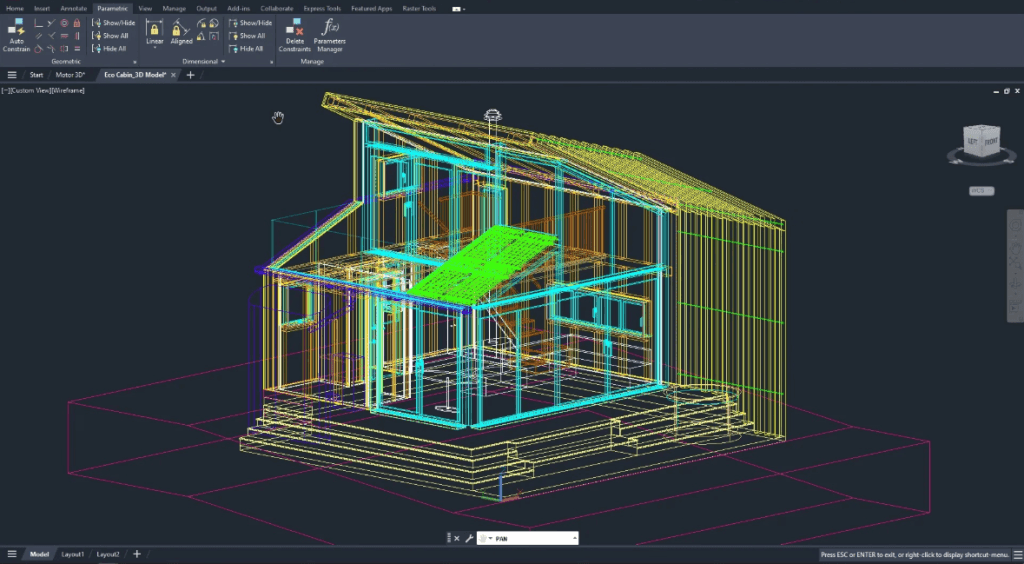
3D capabilities
This is one of the main differences. Full AutoCAD lets you create and edit 3D models. AutoCAD LT can only open them and provide limited viewing from a few fixed angles. You can modify or freely explore a model only in the full version.
Customization
AutoCAD supports LISP, VBA, and .NET, giving companies extensive options for automating workflows and extending functionality. With
scripts and add-ons, companies adapt the software to their requirements. AutoCAD LT offers only standard customization settings and does not support programming.
Network licensing
Licensing flexibility matters to organizations. The full version offers network licensing: for example, 10 licenses can serve 20 or more computers. Only 10 users can work simultaneously, but they can access the software from different workstations. AutoCAD LT has no network licensing option and is tied to a specific computer.
Price
Cost is often the deciding factor. AutoCAD LT is almost three times less expensive. It is a reasonable option for professionals working only with 2D drawings and documentation. Companies that occasionally need 3D or advanced features often combine both versions: LT for most employees and full AutoCAD for key designers.
However, it is important to plan project requirements carefully, since software is purchased for 1–3 years. There is no upgrade path from LT to the full version, and LT remains primarily a tool for individual designers handling smaller tasks.
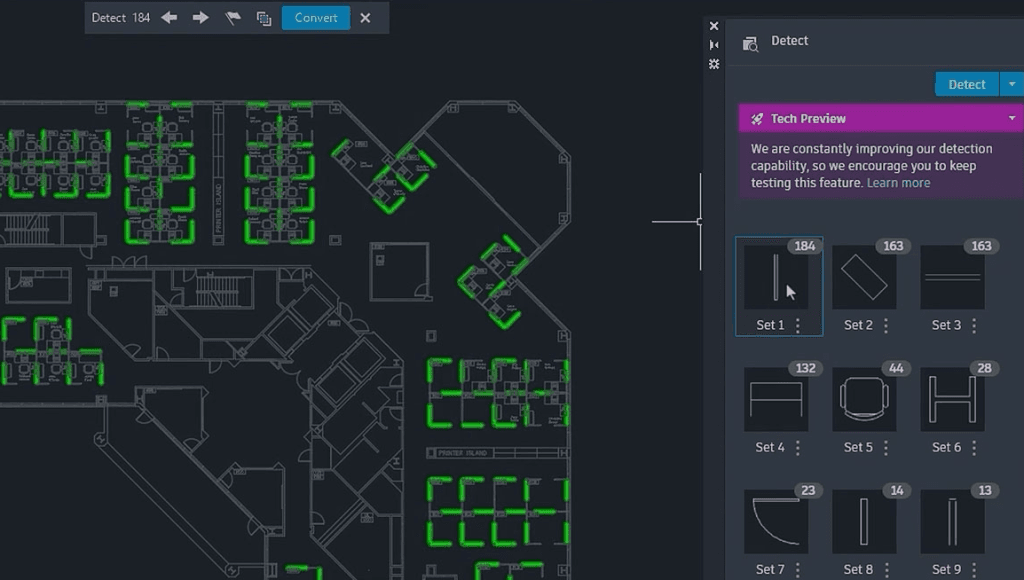
| Features | AutoCAD | AutoCAD LT |
|---|---|---|
| Overview | 2D and 3D CAD software. Subscription includes AutoCAD, specialized toolsets, and applications. | Affordable 2D CAD solution for design, drafting, and documentation. |
| Documentation | ||
| 2D manufacturing drawings | ✔ | ✔ |
| Geometric dimensioning and tolerancing (GD&T) standards | ✔ | ✔ |
| Batch printing of drawings | ✔ | ✔ |
| Batch printing of multiple project drawings | ✔ | ✔ |
| Batch PDF printing through AutoCAD Web | ✔ | |
| External reference comparison (Xref compare) | ✔ | ✔ |
| Intelligent annotation tools | ✔ | ✔ |
| CAD standards detection and enforcement | ✔ | |
| 3D printing compatibility | ✔ | |
| Architectural drafting standards | ✔ | |
| Data management | ||
| Administration tools | ✔ | ✔ |
| User management | ✔ | ✔ |
| File export | ✔ | ✔ |
| Version control | ✔ | ✔ |
| Working with non-native data | ✔ | ✔ |
| Creating reusable block libraries | ✔ | ✔ |
| AnyCAD | ✔ | |
| 2D + 3D modeling, design, and visualization | ||
| Detailed conceptual visualizations | ✔ | |
| 3D graphics rotation/panning | ✔ | |
| Advanced geometry views | ✔ | |
| Editing scans with raster/vector tools | ✔ | |
| Shape generator | ✔ | |
| Sketching | ✔ | |
| Assembly modeling | ✔ | |
| Conceptual/layout design in mechanical engineering | ✔ | |
| Mesh modeling | ✔ | |
| Surface modeling | ✔ | |
| Parametric modeling | ✔ | |
| Piping design | ✔ | |
| Direct modeling | ✔ | |
| Component generators and calculators | ✔ | |
| Collaboration | ||
| Unlimited access | ✔ | ✔ |
| Collaboration through shared views | ✔ | ✔ |
| User management | ✔ | ✔ |
| Global sharing | ✔ | ✔ |
| Commenting and redlining | ✔ | ✔ |
| Public/private project sharing | ✔ | ✔ |
| Teamwork | ✔ | ✔ |
| Model import/export | ✔ | ✔ |
| Block import/export | ✔ | ✔ |
| Drawing import/export | ✔ | ✔ |
| PDF import and conversion | ✔ | ✔ |
| Attach/edit/display point clouds | ✔ | |
| API and automation | ||
| Machine learning and AI | ✔ | |
| Industry object libraries | ✔ | |
| AutoLISP programming and automation | ✔ | ✔ |
| ActiveX/COM automation | ✔ | ✔ |
| ObjectARX and .NET libraries | ✔ | |
| Visual LISP IDE for AutoLISP | ✔ | |
| Visual Basic applications | ✔ | |
| AutoLISP API for AutoCAD Web | ✔ | |
| Design methods and constraints | ✔ | |
| Creating custom command aliases | ✔ | ✔ |
| Recording repetitive command sequences | ✔ | |
| Macros | ✔ | |
| Access to Autodesk App Store | ✔ | |
| User interface | ||
| Customizing menus and ribbon interfaces | ✔ | ✔ |
| Contextual ribbons | ✔ | ✔ |
| Consistent user experience | ✔ | ✔ |
| Block library | ✔ | ✔ |
| Edit and print logical drawing sets | ✔ | ✔ |
| Import, edit, and create CAD blocks | ✔ | ✔ |
| Quick access to recent/favorite blocks | ✔ | ✔ |
| Toolsets | ||
| Mechanical toolset | ✔ | |
| Architecture toolset | ✔ | |
| Map 3D toolset | ✔ | |
| MEP toolset | ✔ | |
| Plant 3D toolset | ✔ | |
| Electrical toolset | ✔ | |
| Raster Design toolset | ✔ | |
| Mechanical design | ||
| Design of parts, assemblies, and products | ✔ | ✔ |
| Intelligent tool palettes | ✔ | ✔ |
| Import external CAD geometry | ✔ | ✔ |
| Automated part updates | ✔ | |
| Parametric constraints for parts | ✔ | |
| Object materials and mass properties | ✔ | |
| Automated bill of materials (BOM) creation | ✔ | |
| 700 000+ intelligent mechanical components | ✔ | |
| Electrical engineering and PCB | ||
| Create panel layouts and diagrams | ✔ | ✔ |
| Schematic capture | ✔ | |
| Unified design standards | ✔ | |
| Structured project organization | ✔ | |
| Schematic error checking | ✔ | |
| 65 000+ intelligent electrical symbols | ✔ | |
| Model management | ||
| BIM compatibility | ✔ | ✔ |
| Assign objects to layers and colors | ✔ | ✔ |
| TrustedDWG™ file validation | ✔ | ✔ |
| BIM model integration | ✔ | |
| Model-based definition | ✔ | |
| Cloud capabilities and mobility | ||
| Remote access, viewing, and editing | ✔ | ✔ |
| Online publishing, sharing, and collaboration | ✔ | ✔ |
| Cloud service compatibility | ✔ | ✔ |
| Web application | ✔ | ✔ |
| Mobile application | ✔ | ✔ |
| Annotating DWG files offline | ✔ | ✔ |
| Support and stability | ||
| Automatic updates and notifications | ✔ | ✔ |
| Service packs included | ✔ | ✔ |
| Certified hardware support | ✔ | ✔ |
| Dedicated phone support | ✔ | ✔ |
| Large user community | ✔ | ✔ |
| Guides, learning resources, and training center | ✔ | ✔ |
| Configure company deployments | ✔ | ✔ |
| Access to previous releases | ✔ | ✔ |
Conclusion
AutoCAD LT is a practical option for professionals working exclusively with 2D drawings. Full AutoCAD is better suited to companies that need 3D modeling, advanced features, and flexible licensing. In practice, companies often combine the two: LT for routine documentation and AutoCAD for complex projects requiring its full capabilities.
If you plan to introduce AutoCAD into your company's workflow, we are ready to help.
We will recommend the right version and configure it for your needs so you can use AutoCAD effectively.