
SCAD for Engineers: Turning Revit, ArchiCAD, and Tekla BIM Models into Accurate Analyses
Today, nearly all structural analysis packages integrate with BIM systems. Platforms such as Tekla even have built-in analysis modules. These are sufficient for common tasks such as checking beams…
Today, nearly every structural analysis package offers BIM integration. Platforms such as Tekla also include built-in analysis modules. These are sufficient for typical tasks such as checking beams, simple frames, or standard loads. However, when an engineer needs accurate, detailed calculations under Eurocodes, analysis of nonstandard structures, or complex spatial models, simple solutions are not enough.
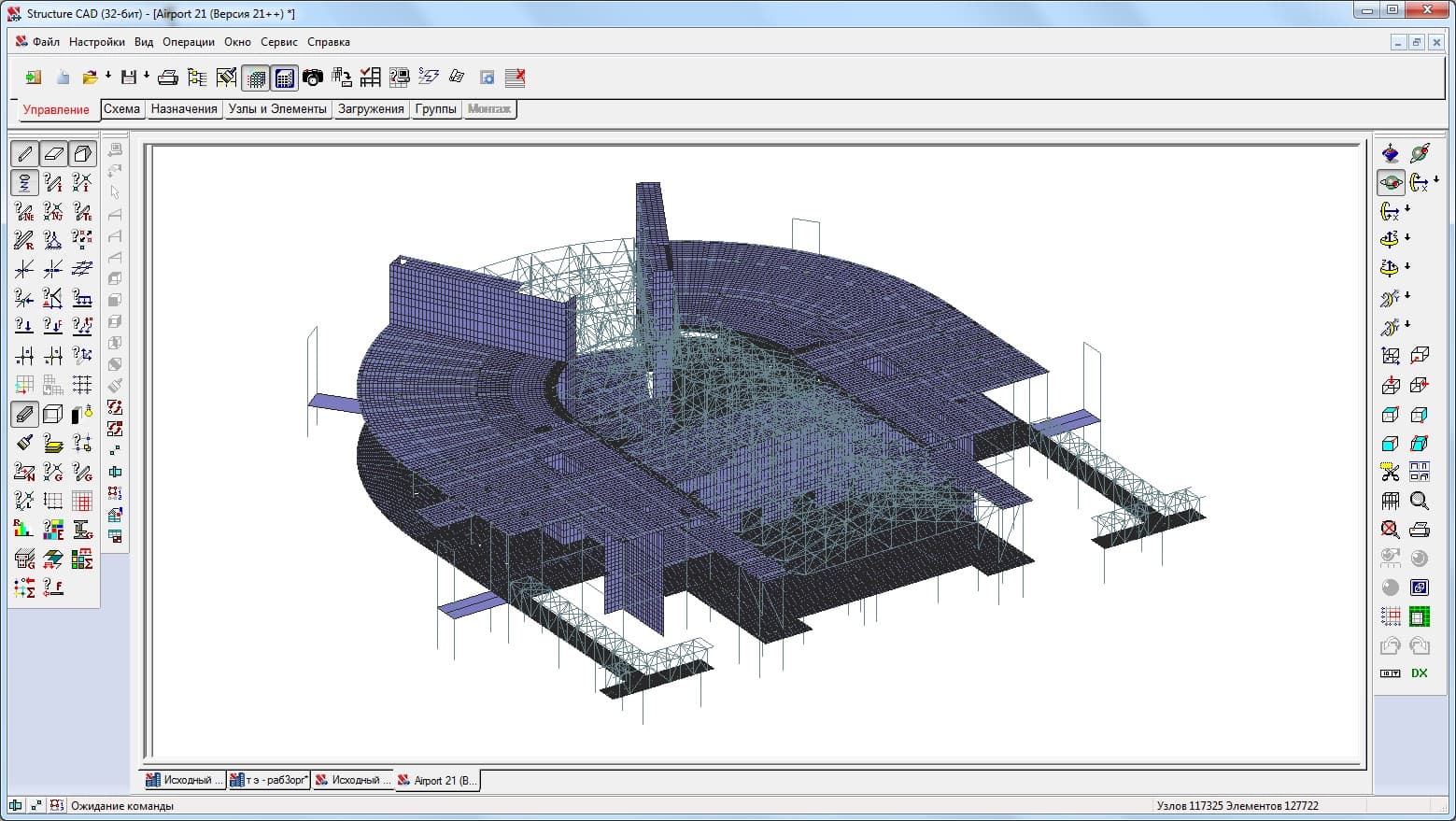
This is why many professionals choose SCAD. This analysis package does not limit the complexity of calculations and delivers accurate, reliable results. SCAD enables engineers to work confidently even with hundreds of thousands of degrees of freedom or unique structural solutions.
It also integrates conveniently with leading BIM platforms — Revit, ArchiCAD, and Tekla. Exporting analytical models to a common R2S format streamlines the process: the model is ready for analysis without manual adjustments and with less risk of errors. Order SCAD
Revit + SCAD: analytical accuracy The Revit plugin exports data in R2S format while preserving key information required for the analysis model:
The following analytical model data is transferred during export:
- node coordinates and constraints;
- for bar elements, geometry, local axis orientation, material, rigid offsets, and hinges are exported. Curved bars are approximated by a set of straight elements;
- for plate elements, geometry (including openings), thickness, and material data are exported.
Only “Hosted” loads, meaning loads directly attached to an element or node, are included when exporting load cases.
All load cases are exported with their names preserved.
For each load case, the following load types can be exported in the global coordinate system (Revit does not support defining loads in an element's local coordinate system):
nodal loads;
- concentrated loads on bars and plates;
- uniformly distributed and trapezoidal loads on bars;
- uniformly distributed and trapezoidal line loads on plates;
- distributed and trapezoidal loads on plates.
As a result, the Revit analysis model is transferred to SCAD as accurately as possible and is ready for further analysis.
ArchiCAD + SCAD: accurate handling of multilayer structures Export from ArchiCAD to SCAD also uses R2S. The following data is transferred:
for bar elements, geometry and local axis orientation are exported. For circular or rectangular bar sections, the corresponding stiffness parameters are created during export. For sections with shapes other than rectangular, the bar element is created but its cross-sectional shape is not specified;
- for plate elements, geometry (including openings) and thickness equal to the total thickness of structural layers are exported. Finishing layers of multilayer materials are excluded when calculating thickness and plate vertex coordinates. Curved plates are approximated by sets of ordinary plates. For plates with variable thickness, the average thickness is used during export.
This is particularly useful for multilayer walls and slabs where accounting for structural layers correctly is essential.
Tekla + SCAD: complex structures without limits Tekla–SCAD integration is primarily used for steel structures. The TeklaToSCAD plugin exports:
- node coordinates and applied constraints;
- for bar elements, geometry (start and end coordinates of each element), local axis orientation, rigid offsets and hinges, and physical material properties. Curved bars are approximated by sets of straight elements. The following bar cross-section types can be exported: parametric, standard rolled steel, and custom sections. Custom sections are represented as cross sections in the Konsul program. For rolled steel sections, a mapping between SCAD and Tekla profile catalogs is used;
- for plate elements, geometry (including openings), thickness, and material data;
Data on perfectly rigid bodies can also be exported. All load cases are exported with their names preserved.
The following load types can be exported for each load case:
nodal loads (forces and moments);
concentrated and distributed (uniform and trapezoidal) loads on bars in global and local coordinate systems;
concentrated loads on plates in the local coordinate system;
line loads distributed along plate edges;
uniformly distributed and trapezoidal loads on plates in the local coordinate system;
temperature loads on bars.
The way Tekla defines loads deserves special attention: it represents them as polygons (for plates) and line segments (for line loads), with forces or moments assigned at vertices. Such loads are exported correctly when the polygon or segment vertices coincide with the slab nodes in the analysis model. In practice, this does not prevent calculations, but it requires care when preparing the source model.
Why SCAD? SCAD is more than an analysis module. It is an integrated finite element system for structural strength analysis and design.
Its advantages include:
- high calculation speed thanks to a powerful analysis engine;
an extensive finite element library (bar, plate, solid, and combined structures);
stability analysis, stress-state checks, and generation of design load combinations;
- dedicated modules for reinforcement selection and steel structure verification;
- extensive graphical tools for displaying results (deformations, diagrams, contour plots);
export of reports and data to Word, Excel, and AllPlan.
SCAD complies with Eurocodes adopted in Kazakhstan and continues to evolve with new design components and expanded calculation capabilities. It also supports seismic analysis that accounts for Kazakhstan's specific conditions.
Try SCAD Office remotely with CAD.kz You do not even need to install it on your computer. Just book a convenient date and time, and we will arrange remote access.
If you have questions or need advice, contact us on Whatsapp .
Conclusion Simple structures can be analyzed with many tools. But if you want to move beyond simplified models and have confidence in your calculations, especially for unusual and complex projects, SCAD is an appropriate choice.
Integration with Revit, ArchiCAD, and Tekla provides convenience, while SCAD's computing power and accuracy support confidence in the results.