
What’s New in SOLIDWORKS 2027: AI, the Evolution of CAD, and the Future of Design
CEO Manish Kumar talks about his favorite SOLIDWORKS enhancements, including the LEO virtual companion, customer-requested improvements, point cloud updates, the option to save files in earlier versions, and more.
Contents
Manish Kumar, CEO and Vice President of R&D at SOLIDWORKS, spoke about what’s new in SOLIDWORKS 2027: developments in SOLIDWORKS AI, design and modeling, and platform improvements that make it easier to get started. The updates described below apply to SOLIDWORKS Design.
1) What are your favorite enhancements in SOLIDWORKS 2027?
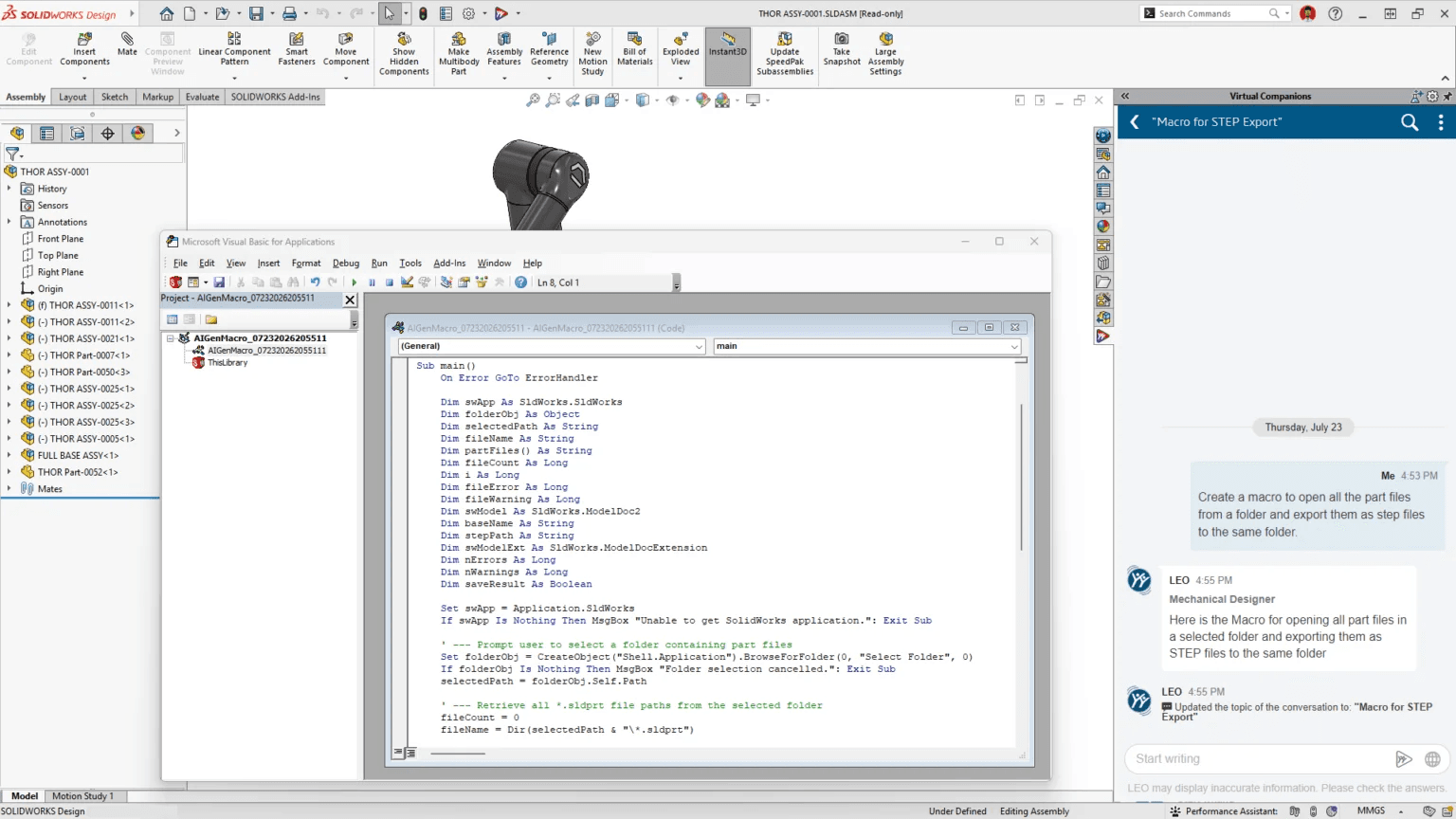
Why? Because they provide useful insights and help with tasks that a regular command can’t handle. “A lot of our customers work with large assemblies that load slowly and experience graphics lag. In the past, you needed an experienced specialist to diagnose and fix these problems.
Now, any user can ask LEO a question such as, ‘How can I improve my assembly’s performance?’ and get suggestions they can act on right away. Or they can ask LEO to create a macro for their workflow. It’s almost like having a design expert sitting right next to you.”
The interviewers also asked how reliable AI-generated drawings are.
What are your favorite core CAD enhancements?
- Fastener Pattern Assistance speeds up the placement of repeated fasteners, so you spend less time creating repetitive mates and more time making design decisions.
- Large Design Review Edit & Save Optimization reduces the time it takes to edit and save changes in large assemblies during design review, so working with large projects doesn’t bring your workflow to a halt.
- Sheet Metal Stamp on Bend lets you add stamped features directly to a sheet metal bend, representing real manufacturing details more accurately without workarounds.
- UV Unwrapping gives you more control over how textures are mapped onto a model and helps produce accurate results for rendering and texturing right away. This feature was requested through the Top Ten list.
- Sketch Relations for Multiple Entities as a Group lets you apply a relation to several sketch entities at once. This reduces the number of steps needed to edit and constrain complex sketches. This feature was also requested through the Top Ten list.
2) SOLIDWORKS AI has clearly become one of the main areas of development. What can the latest AI features do now that they couldn’t do a few years ago?
He distinguishes earlier predictive features—such as Command Predictor, which suggests the next likely command with little reasoning—from a new generation of agentic AI that can analyze a task. “Take drawing generation. If you give me a part and ask me to create a drawing, there are practically endless valid ways to place views, dimensions, and section cuts.
Technically, all of them may work for manufacturing, but you may like some drawings more than others. There’s a subjective element. That’s where the reasoning model comes in: it decides which view a dimension should go on and why, then evaluates the result and adjusts it if needed.”
This cycle—think, act, observe, and adjust—is known as the ReAct approach (Reasoning and Acting).
Another important change is agentic AI. The user asks a question in plain language, and LEO handles the intermediate steps, so they can focus on the final task. Manish gives an example: “Let’s say I want LEO to review an assembly, find every part made of a material that rusts, and calculate how much paint I need to buy to coat them all.
That’s exactly how a mechanical engineer thinks. Behind the scenes, several functions, or agents, get to work: one identifies which materials rust; another finds the parts made from those materials; another selects them; one calculates the total surface area; and the last determines the amount of paint based on its coverage rate. Several functions run in sequence, and the user gets one answer.”
3) SOLIDWORKS AI requires a connection to the platform. What does that mean for engineers who are still unsure about adopting cloud-connected CAD?
Why the platform?
What’s changed about getting started with the 3DEXPERIENCE platform?
Manish named three improvements coming in 2027 that will make it easier for SOLIDWORKS users to access applications, find and organize design data, and get help while working on the platform.
“First, the platform’s interface is simpler. We’ve made it easier for everyone to find and launch applications, including small companies that value simplicity above all.
Second, the way you access data has changed with Content Explorer. It follows a familiar approach: data is organized, you can bookmark it, and the interface feels familiar. At the same time, it offers more than a traditional folder structure. In a folder, a file can only be in one place. In bookmark folders, the same data can be available in several places. You get familiar simplicity along with capabilities that aren’t available in the Windows file system.
Third, the built-in virtual companions provide access to knowledge.
4) SOLIDWORKS continually works to improve performance. What improvements will make design workflows more efficient?
SOLIDWORKS continues to focus on performance. SOLIDWORKS 2027 includes the following updates:
- Background Drawing Update lets drawings update in the background while you continue working on a part or assembly, so you don’t have to wait for the update to finish.
- Performance Assistant analyzes an assembly, including its overall performance and fastener simplification, and identifies what’s slowing it down. This helps you address performance issues without specialized diagnostic skills.
- Expanded Command Cancellation lets you cancel more commands while they’re running. If you change your mind, you won’t have to redo work you no longer need.
5) What other SOLIDWORKS 2027 updates came from customer requests?
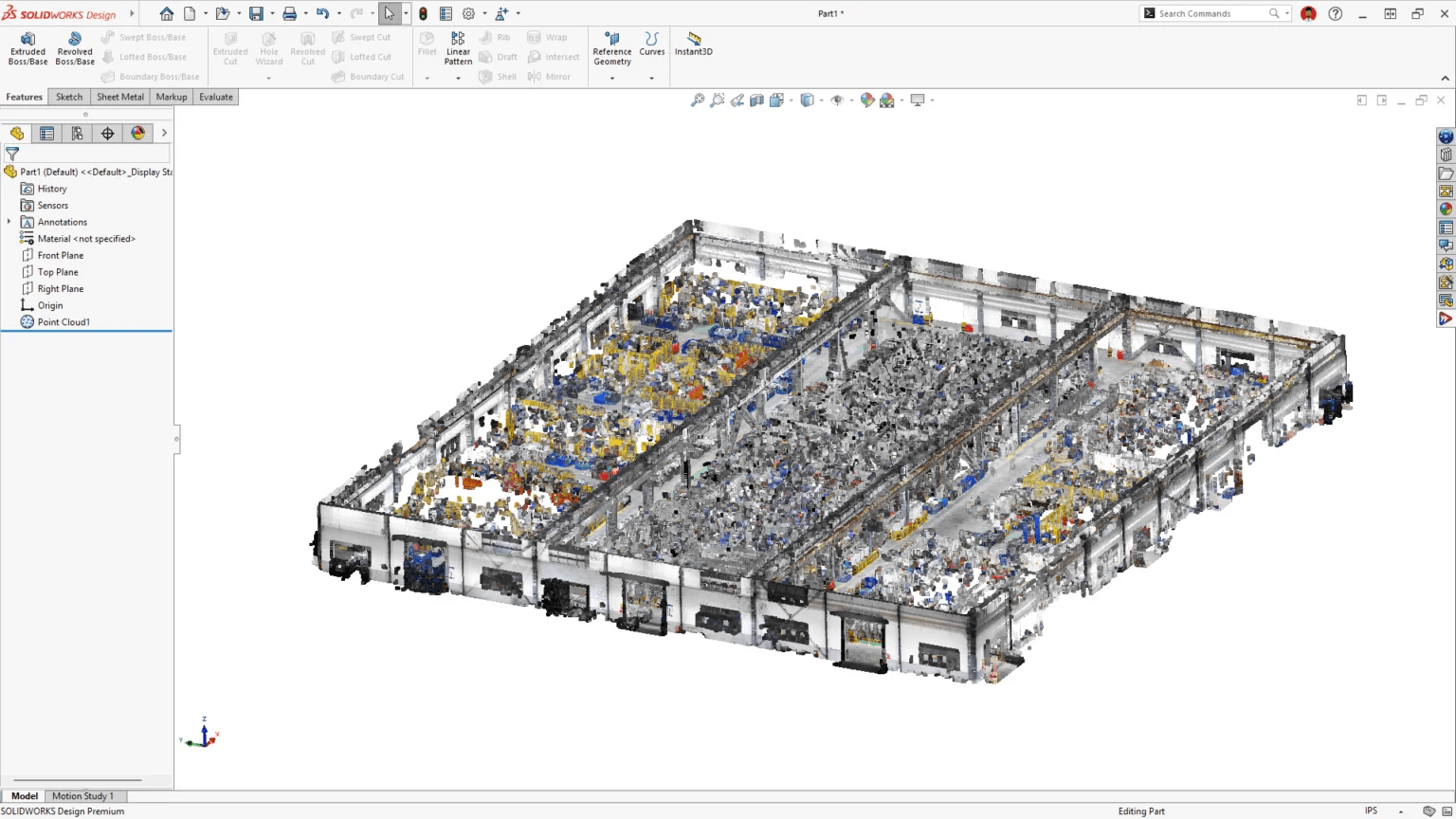
- Point cloud import has been redesigned to handle large datasets and now supports the E57 format. Many customers asked us to improve or replace ScanTo3D. You can now import large point clouds without the delays users experienced before. Color support also makes it easier to distinguish details and materials in scans.
- The “Save to Version” setting lets you automatically save files in a selected SOLIDWORKS version. You can choose the current SOLIDWORKS Design 2027 version or either of the two previous versions, 2026 and 2025.
- Auto-Save to the platform automatically saves changes to the 3DEXPERIENCE platform as you work, so you don’t have to commit them manually.
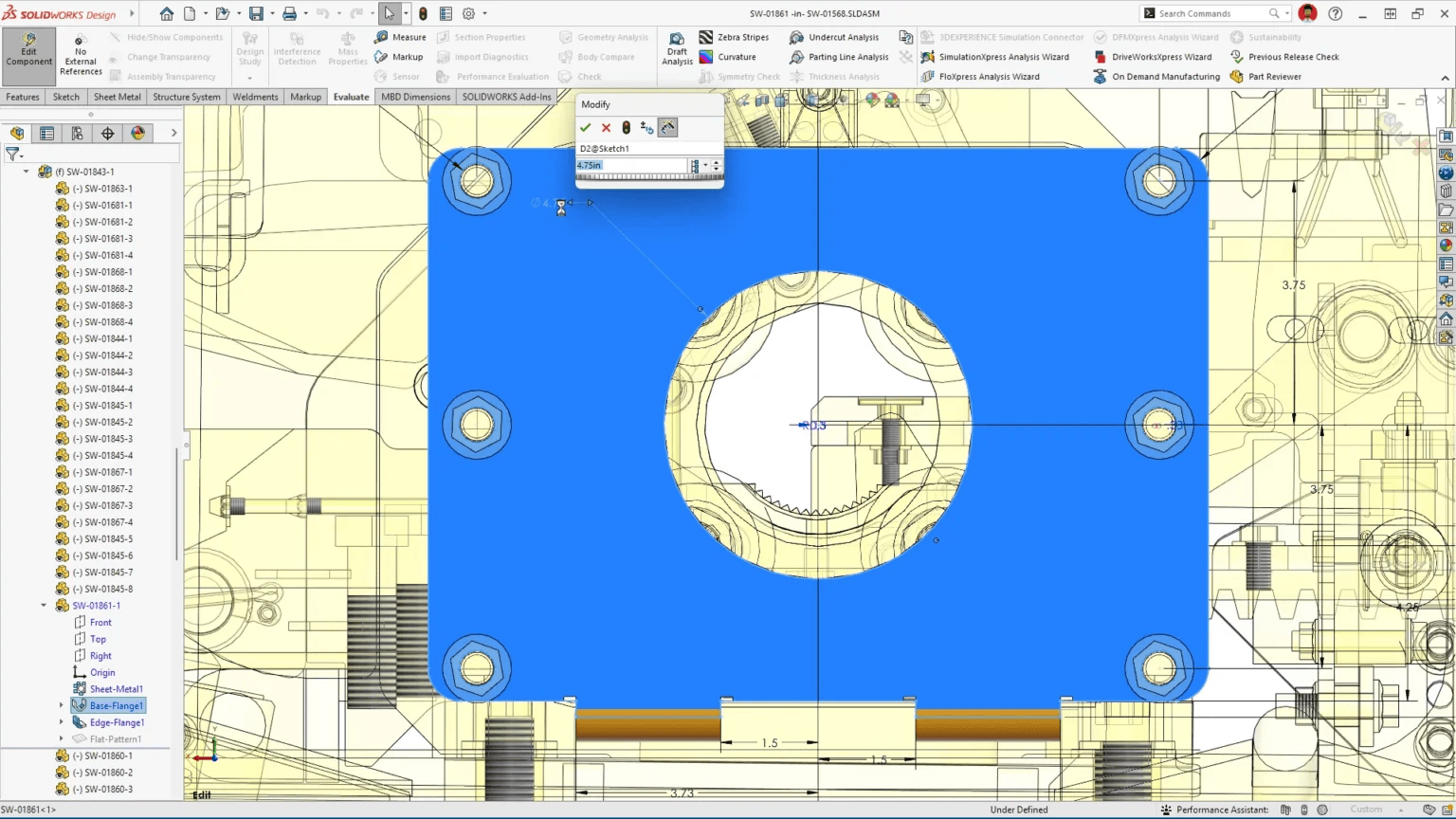
- The new Chord Width option for Constant Size fillets lets designers specify chord width instead of radius, giving them more control over the fillet geometry.
- Expanded support for ISO 25178 and DIN ISO 5458 zone symbols makes it easier to meet requirements when working with international manufacturing partners.
- The ability to lock rotation for a coincident mate between two linear edges, axes, or lines helps prevent assemblies from shifting unexpectedly during edits and keeps the design predictable.
- As part of the ongoing effort to let users cancel more operations, Delete Face and Knit Surface now support cancellation with the Escape key in R2026x FD03. This lets you stop an operation without losing your place or repeating work.
6) What about SOLIDWORKS AI 2027 are you not fully satisfied with yet?
Manish answers without hesitation. “For example, the speed at which we can generate a parametric 3D model from an image or text prompt. I think we can make that faster. We’ve made significant progress, and you’ll see the results, but there’s still room to improve.”
He says the limitation comes down to data. “We train our industry models on the data available to us. The more data we have, the further we can go. It’s a bit of a chicken-and-egg problem, and our customers can help us here.”
SOLIDWORKS tracks the origin of the data used to train each model. “We verify where our data comes from and document it. We have ethical boundaries we won’t cross. If customers have non-sensitive design data—for example, generic jigs and fixtures—and are willing to share it, that can genuinely help us improve the models for everyone.”
7) What would you say to an engineer who is skeptical about the AI hype and isn’t sure it’s worth their time?
In his view, one common misconception about SOLIDWORKS AI is the fear that it will replace engineers.
At the same time, Manish is direct about the other side of the issue:
8) What would concern you if a competitor created an AI-based CAD system from scratch tomorrow, without 30 years of legacy code?
His confidence rests on two things that can’t be created overnight: scale and history.
Learn more about SOLIDWORKS 2027, including new CAD features, performance improvements, customer-requested updates, and AI capabilities that help you design and work more efficiently.